
In the digital age, editing photos has become a common task for everyone, whether you are a content creator, an e-commerce seller, a marketer, or simply someone wanting a cleaner look for your favorite photos. One of the most requested tasks is background removal, but finding the right tool can feel overwhelming. Free tools watermark your downloads, complex software demands a learning curve, and most AI tools leave fringes around hair or fur that ruin the result.
Templix simplifies this process, making it effortless, fast, and genuinely enjoyable. This guide shows you how to use the Templix AI Background Remover to achieve professional results quickly and easily, whether you are removing a single distracting background or processing hundreds of e-commerce product photos.
The Problem: Cluttered Backgrounds and the Need for a Solution
Imagine this. You have taken the perfect photo for your online store, but the cluttered background does not align with your brand aesthetic. Or maybe you need a transparent image for a presentation, an Instagram post, or a Shopify listing, but editing software seems too complicated or expensive. Photoshop has a steep learning curve, and the free online tools either leave jagged edges or stamp watermarks across your finished work.
In moments like these, the Templix AI Background Remover is your perfect ally. It is not just about cutting out backgrounds. It is about empowering you to focus on what matters most: your subject. The AI handles the technical work so you can spend your time on the creative work that actually moves the needle for your brand, store, or content.
Why Templix AI Background Remover Stands Out
Before diving into the step-by-step process, let us understand why the Templix AI Background Remover is a game-changer compared to other background removal tools on the market:
Ease of Use: Designed for everyone, from total beginners to seasoned professionals. The interface is built around a single action: upload, generate, download. No layers, no masks, no manual brushwork.
AI Precision: Advanced AI ensures clean and precise background removal, even for tricky edges like hair, fur, fabric textures, jewelry chains, and intricate outlines. The model preserves the fine details that lower-tier tools flatten or lose.
Speed: Removes backgrounds in seconds, not minutes. Most generations complete in under a minute, which is essential when you are processing batches of product images or working under client deadlines.
Customizability: Once the background is removed, you can drop the transparent PNG straight into a design tool, generate a new background using the Templix AI Image Generator, or run the cutout through the Templix AI Image Upscaler for a clean 4K version ready for print and large displays.
No Watermarks: Templix delivers transparent PNG downloads with no watermark, even on entry-level access, which is rare among free background remover tools.
Start Removing Backgrounds Free with Templix

Templix Background Remover
Step-by-Step Guide: Removing Backgrounds with Templix
The Templix workflow is intentionally simple and beginner-friendly. Here is exactly how to remove the background from any image in three quick steps.
Step 1: Access the Templix AI Background Remover
Start by visiting the Templix website or app. Navigate to the AI Background Remover tool, which is prominently displayed in the main Apps menu alongside other Templix tools like the AI Face Swap, AI Hairstyle Changer, and AI Clothes Changer. If you do not have an account, sign up. It is quick, easy, and free for basic usage, with bonus credits on signup so you can start removing backgrounds right away.
The tool runs entirely in your browser. There is nothing to install, no software downloads, and no operating-system restrictions. You can use it on desktop, mobile, tablet, or any device with a browser.
Step 2: Upload Your Image
Once you are in the tool, click the upload button and choose the photo you want to edit. Templix supports JPG, PNG, and WebP formats, including high-resolution images straight from a DSLR, phone, or scanner. The tool handles portraits, product photos, pets, illustrations, scanned documents, and AI-generated visuals with equal accuracy.
Story Moment
Say you just returned from a vacation and snapped a beautiful photo of yourself in front of a famous landmark, but a tourist photobombing in the background is distracting from the moment. Upload it here. Templix will isolate you cleanly from the background, leaving you free to drop a new sunset, palm-fringed beach, or solid color behind you. Or perhaps you have a hand-shot product photo on your kitchen counter that you need ready for a Shopify listing by tomorrow morning. Upload it, get a clean transparent PNG, and ship the listing tonight.
Step 3: Watch the AI Work
After uploading, the Templix AI analyzes the image and removes the background automatically. Within seconds, you will see your subject perfectly isolated against a transparent backdrop, with clean edges preserved around hair strands, fur, fabric, and fine detail. Hit download, and your transparent PNG is ready to use anywhere. No watermark, no resolution downgrade, no friction.
If you need to take it further, run the transparent PNG through the Templix AI Image Upscaler to deliver 4K-quality output for print, or use the Templix AI Reel Generator to turn the cutout into short-form video content for Instagram Reels, TikTok, and YouTube Shorts.
Remove Your First Background Now
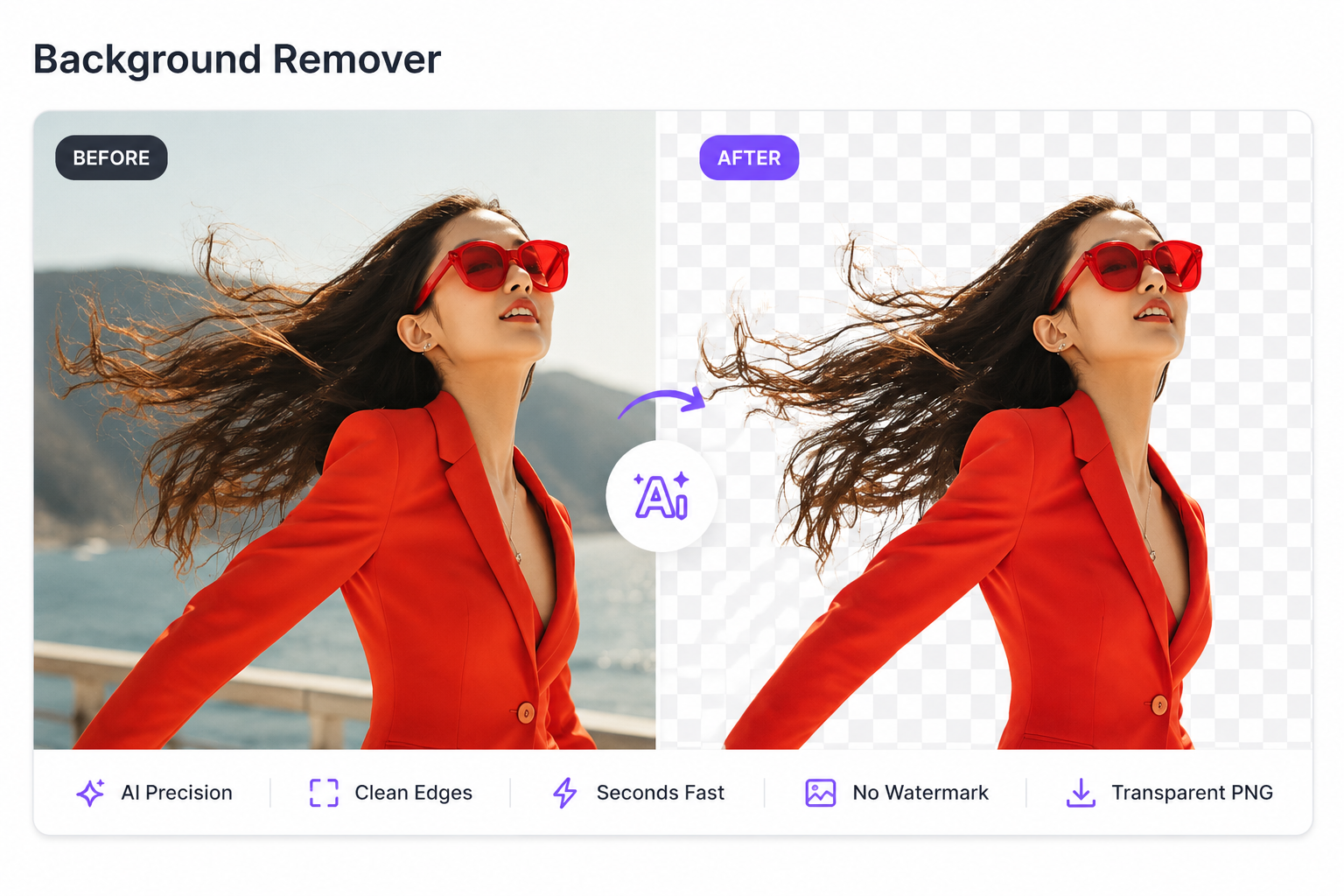
AI-powered background remover tool in action, isolating the subject from its background
Who Can Benefit from the Templix AI Background Remover?
The Templix AI Background Remover is built for anyone who works with images. Here are the user groups getting the most value from it in 2026.
1. Small Business Owners and E-commerce Sellers
Product images are critical for online stores. Shoppers judge listings within a second of seeing them, and cluttered backgrounds, inconsistent lighting, or grainy edges actively cost you sales. Templix helps you create clean, professional product images for Shopify, Amazon, Etsy, eBay, and your own DTC website without hiring a designer or photographer. Combine Templix with the AI Clothes Changer for fashion products or the AI Image Upscaler for crisp 4K listings, and you have a complete product photography studio in your browser.
2. Content Creators and Social Media Influencers
Enhance your content by creating eye-catching images that stand out in busy feeds. Transparent backgrounds can be layered onto creative designs, branded templates, or trending meme formats to elevate your posts. Pair Templix with the AI Reel Generator for short-form video content, or use it alongside the AI Face Swap and AI Motion Control to produce viral-ready visual content in minutes.
3. Students, Teachers, and Educators
Use Templix for school projects, presentations, and academic posters. Removing unnecessary backgrounds makes visuals clearer, more engaging, and more professional-looking. Teachers can use Templix to create custom slide decks with isolated subjects, while students can build polished portfolio pieces and presentation graphics without buying expensive design software.
4. Event Planners and Creative Designers
From wedding invitations to party posters, corporate event decks to brand identity work, clean images with customized backgrounds add a personal, professional touch. Templix is the fastest way to extract subjects for custom composites, mood boards, and event collateral. Generate fresh backgrounds with the Templix AI Image Generator and you have an end-to-end design workflow without ever opening Photoshop.
5. Marketers and Ad Agencies
Performance marketing demands hundreds of creative variations per campaign. Templix lets agencies and in-house marketing teams isolate models, products, and brand assets in seconds, then drop them into countless ad templates, social formats, and landing-page hero images. This single workflow change can cut creative production time by 70 percent or more compared to traditional manual masking.
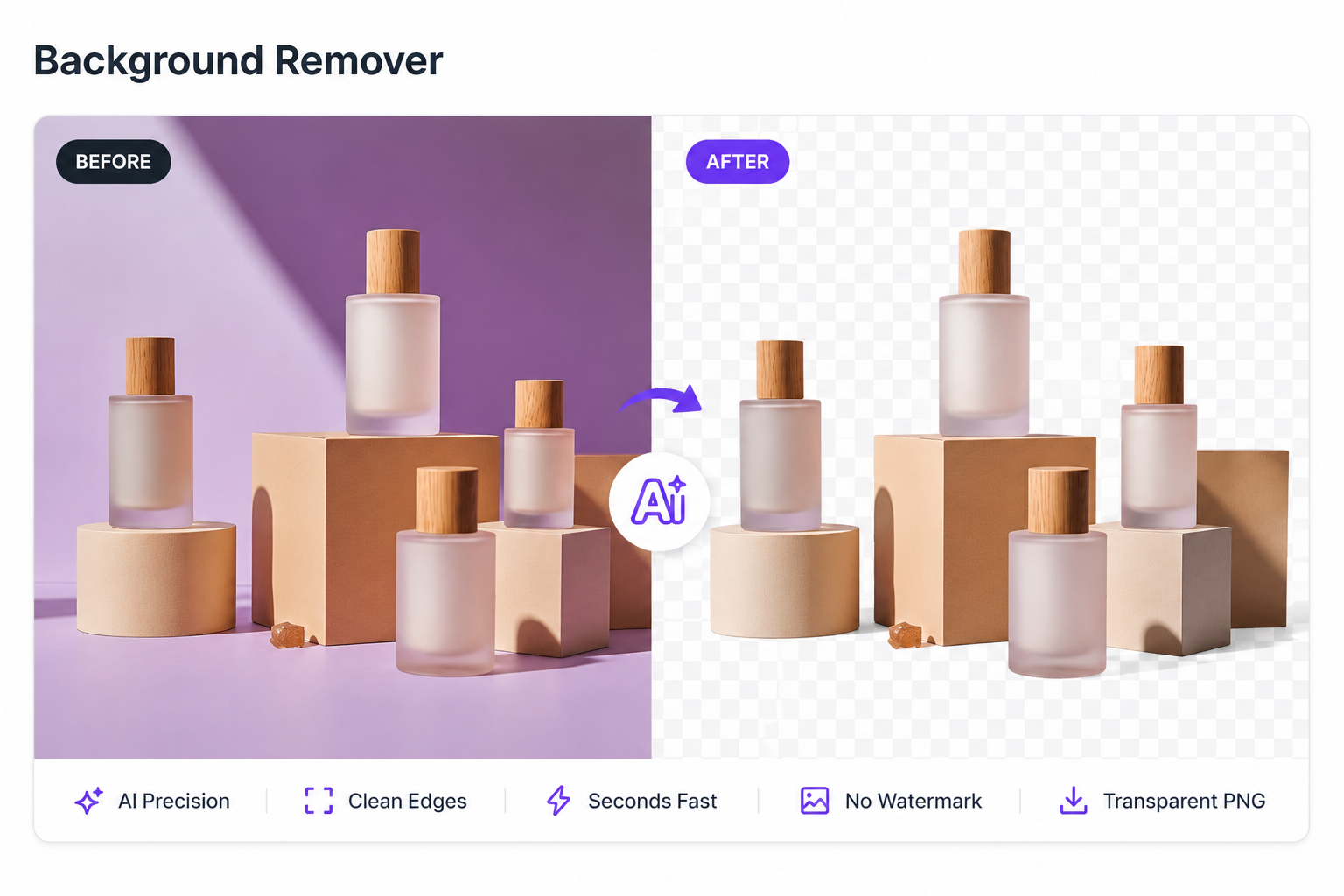
AI-powered product background remover for clear and professional images
A Story of Success: Emily's Transformation
Emily is a freelance photographer who often struggles with client requests for background changes. Initially, she used complicated editing software that took hours to process even one image, which capped her client volume and ate into her margins. After discovering the Templix AI Background Remover, she reduced her editing time by 70 percent, impressing her clients with faster delivery and consistent quality across every project. Today, Emily uses Templix as the first step in every shoot, then layers in the AI Image Upscaler for print-ready 4K output and the AI Background Remover again for the deliverable transparent PNGs her clients request. The result is a workflow that scales with her business rather than slowing it down.
Common Challenges and How Templix Solves Them
Even the best background removers struggle with certain types of images. Here are the three biggest challenges users face, and how Templix solves them.
Challenge 1: Complex Edges Like Hair, Fur, and Fabric
Solution: The Templix AI is specifically designed to handle tricky details. It preserves hair strands, fur textures, lace, mesh, and intricate outlines with high accuracy, which is the difference between a believable cutout and an obviously cut-out subject. Most free background remover tools fail on these complex edges. Templix is built for them.
Challenge 2: Time Constraints and High-Volume Workflows
Solution: With Templix's speedy processing, you can remove backgrounds in seconds, not minutes. For agencies, e-commerce sellers, or content creators processing hundreds of images per week, this speed translates to real revenue. The faster you ship, the faster you sell, and the more campaigns you can run in a quarter.
Challenge 3: Limited Design Skills
Solution: The Templix intuitive interface requires no prior design experience, making it accessible to everyone. There are no layers to manage, no masks to refine, no Pen tool, no Quick Selection brushwork. Upload, generate, download. If you can use Instagram, you can use Templix.
Try Templix on a Tough Image Now
Templix: A Tool Built for the Future of Visual Content
With AI tools becoming smarter every day, Templix stays ahead of the curve by consistently improving its features and expanding the connected suite of creative tools available alongside the AI Background Remover. The background remover is just one example of how AI can simplify tasks and unleash creativity, but the real power of Templix is the broader ecosystem.
The full Templix AI Apps suite includes the AI Face Swap, AI Motion Control, AI Hairstyle Changer, AI Image Upscaler, AI Clothes Changer, AI Image Generator, and AI Reel Generator. Every one of these tools connects naturally to the background remover, so removing a background is rarely the only thing you do with a photo. Most users layer 2-3 Templix tools on the same image to deliver a finished asset.
Vision for the Future
Templix aims to empower users with tools that make digital design fun, fast, and accessible. Whether you are editing for work, play, or passion projects, Templix is here to make the process seamless. The next wave of visual content will not be made by Photoshop experts. It will be made by anyone with a browser and an idea, using AI tools simple enough to learn in minutes and powerful enough to ship professional-quality work.
Final Thoughts: Your Journey with Templix
Removing a background may seem like a small task, but it can transform an image completely. The Templix AI Background Remover is more than just a utility. It is a creative partner that understands your needs, removes the friction from your workflow, and connects to a wider AI suite that handles everything from upscaling and motion to face swapping and reel generation.
If you have been hesitating because of clunky free tools or pricey design software, this is the moment to try a faster path. Upload an image, hit generate, and see the difference in seconds.
Start Your First Background Removal Free on Templix
Frequently Asked Questions
What makes Templix AI Background Remover different from other tools?
Templix stands out because of its AI-powered edge precision, ease of use, no-watermark downloads, and integration with a wider creative suite. It handles complex edges like hair and fur accurately, delivers results in seconds, and connects naturally to other Templix tools like the AI Image Upscaler, AI Image Generator, and AI Face Swap. This makes it suitable for both beginners and professionals who want a full workflow in one platform.
Do I need design skills to use the Templix AI Background Remover?
No design skills are required. The tool is built to be intuitive and user-friendly. With a few clicks, anyone can remove or replace backgrounds effortlessly. There are no layers, masks, or manual brushwork involved.
What image formats are supported by Templix AI Background Remover?
Templix supports JPG, PNG, and WebP formats, including high-resolution images. The output is always a transparent PNG ready to drop into any design tool, e-commerce listing, marketing visual, or composite project.
Who can benefit the most from using Templix AI Background Remover?
This tool is perfect for small business owners creating product images, e-commerce sellers building Shopify and Amazon listings, social media influencers enhancing content, students and teachers making engaging visuals, marketers producing ad creative variations, and creatives designing personalized invitations and posters.
Is Templix AI Background Remover free to use?
Yes. Templix offers free credits on signup so you can test the AI Background Remover at no cost. You can remove backgrounds from multiple images for free before deciding to upgrade. Paid plans unlock higher credit volumes and priority processing for users who work at scale.
Will Templix add a watermark to my downloaded image?
No. Templix delivers transparent PNG downloads with no watermark, even on entry-level access. This is rare among free background remover tools, most of which either watermark free outputs or restrict resolution until you pay.
Can Templix remove backgrounds from hair, fur, and other complex edges?
Yes. Templix is specifically built to preserve fine details like hair strands, fur, fabric texture, and intricate outlines with high accuracy. The AI detects these complex edges automatically, which is one of the biggest weaknesses of lower-tier background removers.
Can I use Templix AI Background Remover for product photos and e-commerce?
Absolutely. Templix is built for e-commerce at scale. You can remove backgrounds from product photos for Shopify, Amazon, Etsy, eBay listings, marketing campaigns, social media ads, and print catalogs in seconds. Pair it with the Templix AI Image Upscaler for clean 4K product photography and the AI Clothes Changer for fashion brand workflows.
How fast does the Templix AI Background Remover process an image?
Each background removal completes in seconds. Most uploads return a finished transparent PNG in under a minute, which makes Templix one of the fastest AI background removers available without sacrificing edge quality.
Do I need to download or install anything to use Templix?
No. Templix runs entirely in your browser on desktop, mobile, and tablet. There is nothing to install, no software downloads, and no operating-system restrictions. Visit the site, upload your image, and download the transparent PNG.
Sidra Amin
A passionate creator sharing insights and tips on the latest in AI and digital creativity.