
Image quality matters more in 2026 than at any point before. Whether you are running an e-commerce store, managing social media, preparing marketing visuals, or preserving family memories, low-resolution images quietly limit what you can do with your content. Pixelated product photos lose buyers. Soft social posts get scrolled past. Old family scans cannot be printed.
AI image upscalers solve all of it. By using advanced machine learning, AI upscaling tools enhance image resolution and reconstruct lost detail without the blur, jagged edges, or unnatural artifacts that traditional methods produce. The result is a sharper, cleaner, professional-quality image that looks like it was captured at the higher resolution from the start.
This guide covers everything you need to know about AI image upscaling: how the technology actually works, how it compares to traditional methods, what benefits it offers, and how to pick the right AI image upscaler for your needs.
What is AI Image Upscaling?
AI image upscaling uses artificial intelligence and deep learning to increase image resolution while maintaining or improving visual quality. Unlike traditional methods that simply stretch pixels and create blurry results, AI upscalers analyze the content of your image and intelligently fill in missing details. The technology takes an image from low to high resolution by reconstructing detail rather than just enlarging what is already there.
The process trains neural networks on millions of high-quality images. These networks learn the patterns, textures, edges, and structures that define professional photos. When you upscale an image with an AI tool, the model predicts and generates new pixel information based on what it learned during training. The output has sharper edges, clearer textures, and more natural-looking detail than any traditional method could achieve.
Modern AI upscalers like the Templix AI Image Upscaler can increase image resolution by 2x or 4x and deliver clear 4K results while preserving important details and adding realistic texture. This makes previously unusable low-resolution images suitable for large-format printing, high-resolution displays, e-commerce listings, and commercial marketing projects.
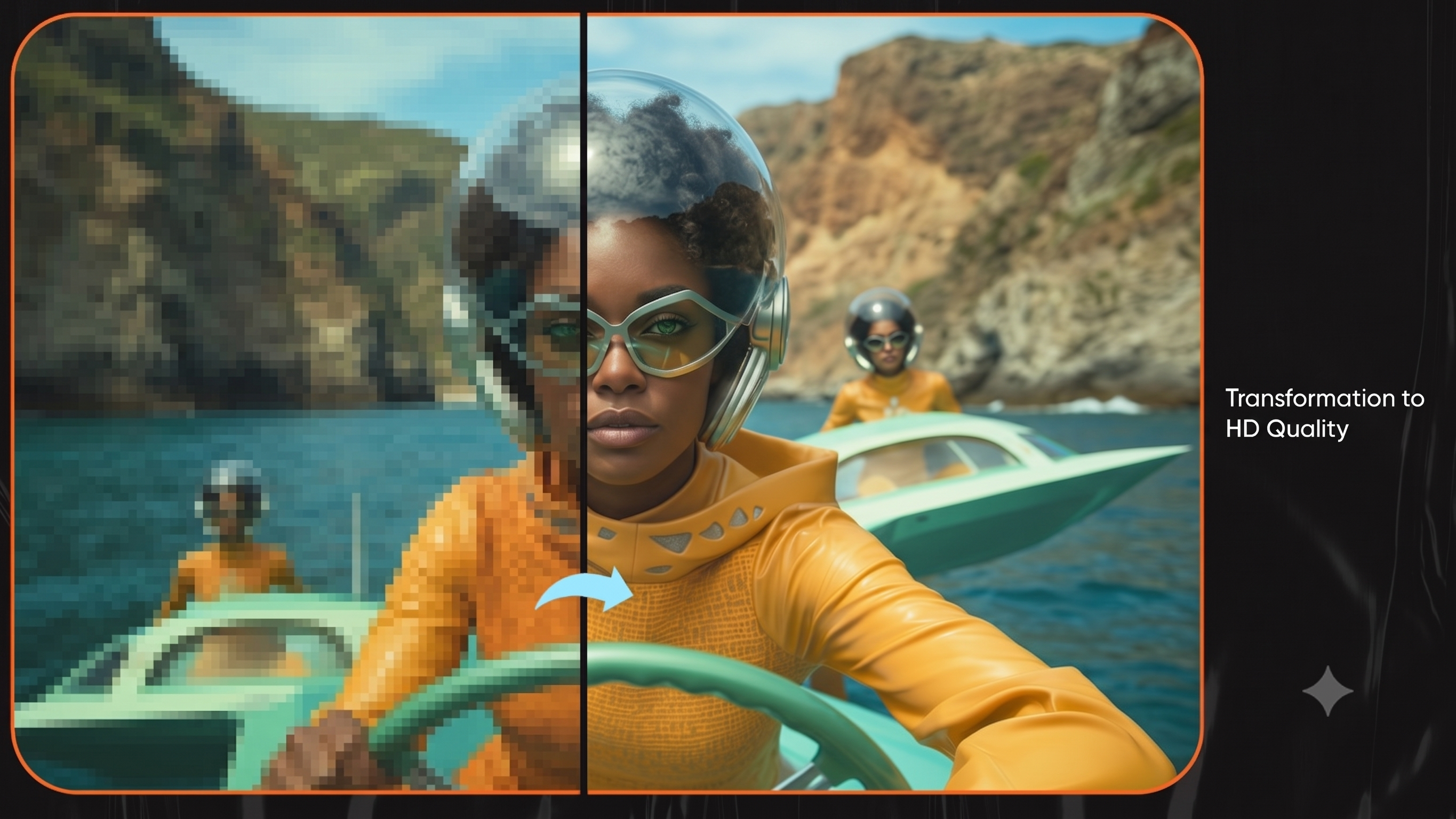
AI Image Upscaler by Templix
How AI Image Upscalers Work
AI image upscalers rely on sophisticated neural network architectures, primarily Convolutional Neural Networks (CNNs) and Generative Adversarial Networks (GANs). These systems analyze and enhance images in ways traditional algorithms cannot match.
The Technology Behind AI Upscaling
The process starts with deep learning models trained on paired datasets of low-resolution and high-resolution images. During training, the network learns to identify patterns at different scales. When you upload a low-resolution image, the neural network analyzes it through multiple layers, with each layer extracting different visual features:
Edges and boundaries
Colors and tones
Textures and patterns
Shapes and structures
Faces and identifiable subjects
The AI uses this layered understanding to generate new pixels that fit naturally with the existing image content. Advanced super-resolution models do not just interpolate between existing pixels. They generate genuinely new detail based on learned visual patterns, which is why Templix can take a blurry photo and produce a sharp 4K result instead of a softly enlarged version of the original.
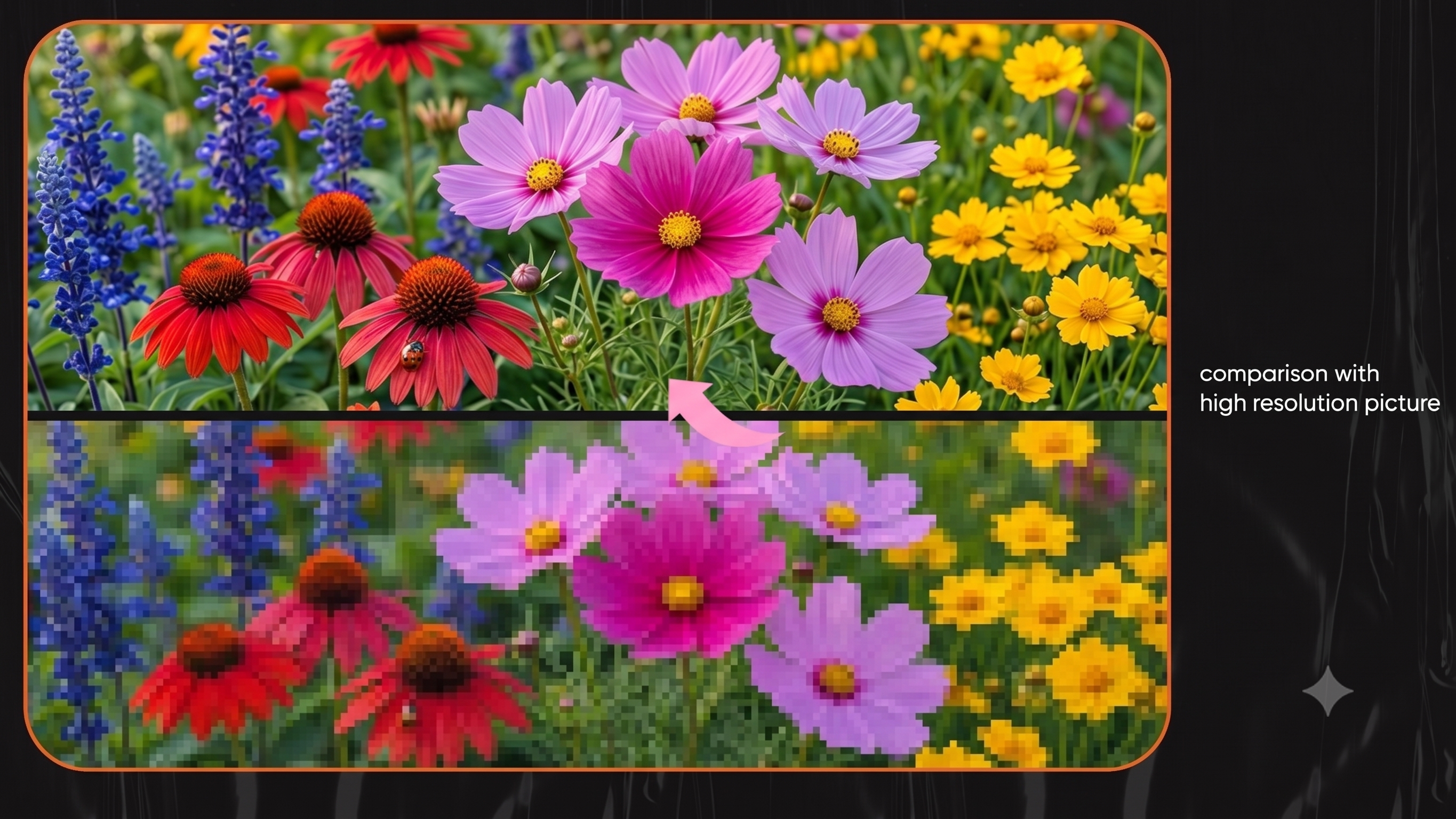
AI Image Upscaler by Templix
Key Components of AI Image Upscaling
The most effective AI image upscalers, including Templix, use several technical approaches working in parallel:
Feature Extraction: The network identifies key elements in your image like faces, text, edges, and product details, then treats each differently for optimal enhancement.
Perceptual Loss Functions: Instead of just comparing raw pixel values, the AI evaluates how natural and realistic the upscaled image looks to human perception, which is why AI-upscaled images do not look mechanically sharpened.
Multi-Scale Processing: The system analyzes your image at different zoom levels simultaneously to maintain both fine details and overall structure.
Artifact Reduction: Advanced models specifically target and eliminate common upscaling problems like jagged edges, noise, halos, and unnatural sharpening that ruin traditionally upscaled images.
This same deep-learning foundation powers other tools in the Templix suite, including the Templix AI Image Generator which uses the latest Flux 2 Pro and Nano Banana models to create images from text prompts. The upscaler turns those generated images print-ready in a single click.
AI Image Upscaling vs Traditional Methods
Traditional upscaling methods like bicubic interpolation and Lanczos resampling work by mathematically calculating new pixel values based on surrounding pixels. These algorithms do not understand image content. They just perform mathematical operations on pixel values. The result is larger images that look soft, blurry, and lack the detail that made the original worth enhancing in the first place.
AI image upscaling takes a fundamentally different approach. AI models understand image content. They recognize faces, textures, patterns, products, and structures. When upscaling a portrait, the AI enhances facial details like eyes, hairlines, and skin texture. With architecture, it maintains clean lines and sharp edges. With landscapes, it adds realistic texture to foliage, water, and terrain. With product photos, it sharpens packaging, fabric weave, and material finishes.
Performance Comparison
Here is how AI image upscaling compares to traditional methods across the dimensions that matter most:
Detail Preservation: Traditional methods blur fine details into mush. AI upscaling maintains and enhances small details like text, facial features, fabric textures, and intricate patterns.
Edge Quality: Traditional upscaling creates soft, mushy edges. AI image upscaling produces clean, sharp edges that look natural rather than artificially sharpened.
Texture Handling: Traditional methods either flatten textures or create unrealistic patterns. AI upscaling generates appropriate textures based on what the image actually depicts.
Artifact Control: Traditional upscaling introduces visible artifacts like jaggies, halos, and color noise. AI models like the one powering Templix actively minimize these issues during processing.
Scaling Limits: Traditional methods show severe quality loss beyond 2x upscaling. AI image upscalers handle 4x increases while maintaining or even improving quality.
Benefits of Using AI Image Upscalers
The practical benefits of AI image upscaling extend well beyond making images bigger. Here is what creators, businesses, and casual users actually get out of running an image through a tool like Templix.
Enhanced Visual Quality Instantly
Low-resolution images that were previously unusable become sharp, clear, and professional-looking, without the blur and artifacts that plague traditional methods. Templix rebuilds facial features, textures, and edges instead of stretching pixels, which is the difference between a believable enhancement and an obviously upscaled one. This is especially useful when combined with other Templix tools like the AI Face Swap or AI Hairstyle Changer, where you can swap faces or try new hairstyles first, then upscale the final result to clear 4K.
Print-Ready 4K Resolution
Most professional printing requires 300 DPI at the final print size. AI image upscaling converts images that would print poorly into properly sized, high-quality files suitable for posters, banners, photo books, flyers, and commercial print projects. With Templix, you can take a phone photo and produce a 4K-quality file ready for print in a few seconds.
Time and Cost Savings
Rather than re-shooting photos or purchasing high-resolution stock images, AI image upscaling lets you work with the assets you already have. A single old product photo can become a Shopify-ready, ad-ready visual in seconds instead of days. Pair the upscaler with the Templix AI Background Remover and you have an end-to-end product photography workflow that replaces expensive studio shoots.
Platform Flexibility for Every Use Case
Different platforms require different image sizes. Instagram, TikTok, YouTube thumbnails, billboard prints, and email banners all demand specific dimensions. AI image upscaling creates properly sized, high-quality images from a single source, which is valuable for e-commerce sellers, social media managers, and content creators. Creators producing short-form content can also use the Templix AI Reel Generator to turn upscaled images into scroll-stopping reels and shorts in minutes.
Content Preservation and Restoration
For archival and personal use, AI image upscaling breathes new life into old photographs, scanned documents, and historical images. Family photos from decades past can be enhanced and printed at modern sizes. Scanned documents become readable again. Templix handles old, scanned, and damaged photos with the same quality it delivers on fresh digital images.
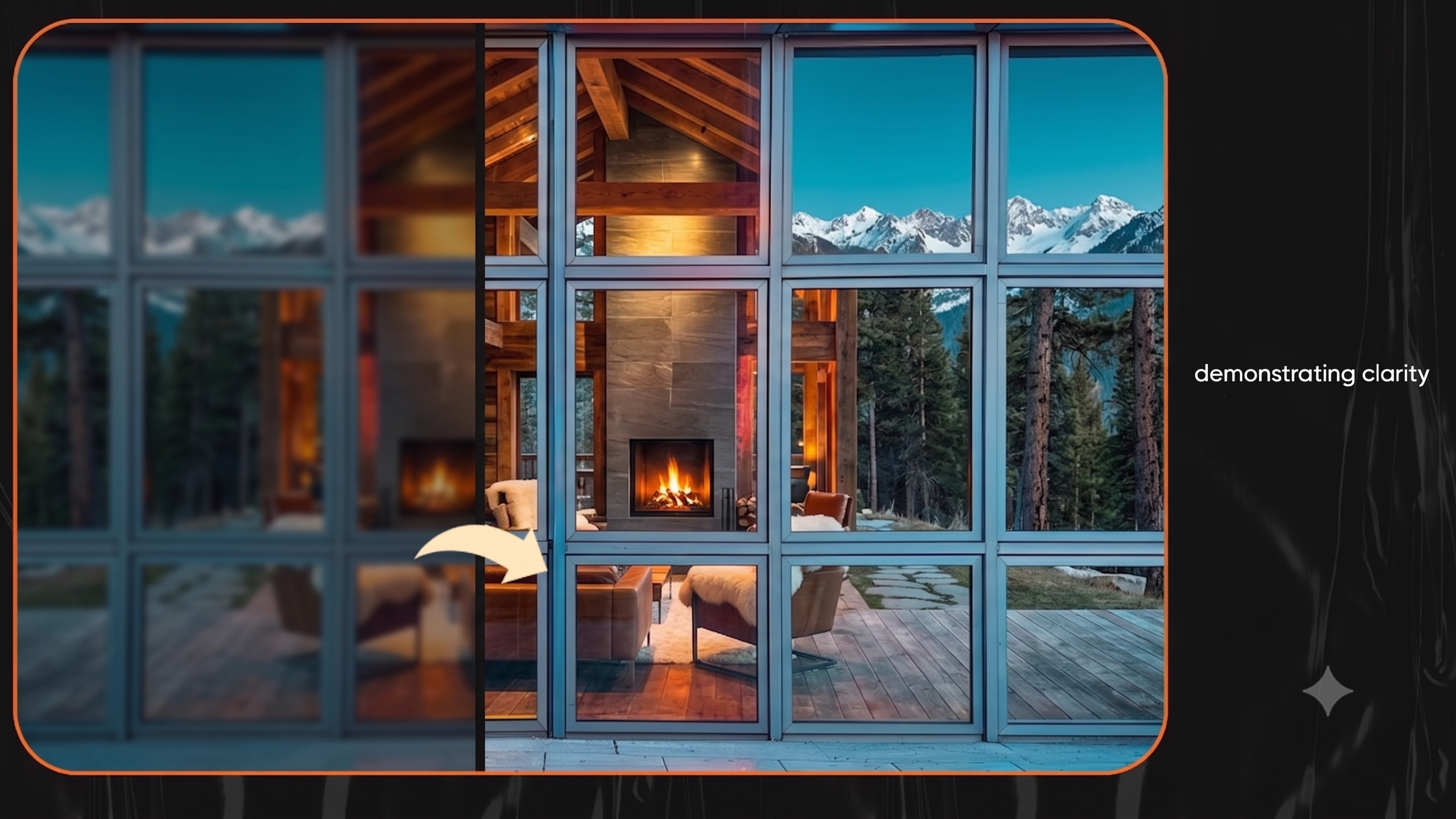
AI Image Upscaler by Templix
Choosing the Right AI Image Upscaler
Not every AI image upscaler is built the same. Here are the criteria that actually matter when picking one.
Skip the Comparison and Try Templix Free
Processing Speed vs Output Quality
Some tools prioritize speed and process images in seconds. Others focus on maximum quality but take longer to render. Your choice depends on volume and use case. If you are processing hundreds of product photos for an e-commerce store, speed matters more. For portfolio pieces, client deliverables, or print-ready marketing visuals, quality takes priority. Templix delivers both: fast processing combined with output quality that holds up at full 4K resolution.
Image Type Support
A great AI image upscaler should handle more than just photos. Templix works on photos, screenshots, illustrations, product images, scanned documents, and AI-generated visuals with equal quality, which is rare among free upscaling tools. Many competitors only deliver good results on a narrow range of inputs.
Format and File Support
Verify that your chosen tool handles your input formats. Most AI image upscalers support JPG and PNG, but support for WebP varies. Templix accepts JPG, PNG, and WebP and outputs clean high-resolution files ready for download.
Enhancement Level Control
The best AI image upscalers let you choose how much to enhance. A 2x upscale preserves the look of the original. A 4x upscale reconstructs significantly more detail and is the right choice for badly degraded images or print preparation. Templix offers both, plus an auto setting that picks the optimal enhancement level based on your image quality and resolution.
Additional Features
Some AI image upscalers bundle related enhancement features that streamline your workflow:
Noise reduction for grainy or low-light photos
Face enhancement for portrait improvements
Color correction to balance faded images
Artifact removal for old or compressed visuals
Tools that bundle these capabilities save you from running images through multiple separate apps. Templix combines upscaling with detail reconstruction in a single pass, which is faster than chaining tools together.
Cost Structure
AI image upscaling tools use various pricing models including credit-based systems, subscriptions, and per-image pricing. Templix uses a credit-based system with free credits on signup, which is the most flexible option for users who want to test the tool risk-free.
Improve Image Quality Easily with AI Upscaling
AI image upscaling is simple and quick to use. You upload an image, choose your enhancement level, and get a clearer, sharper version in seconds. No complex process, no learning curve, no expensive software.
Testing different image types is the best way to see what AI image upscaling can do. Try a portrait, a soft product photo, a screenshot, and an old scanned image through Templix and compare the results. The difference is immediate and often dramatic.
Looking for more AI tools beyond upscaling? Explore the full Templix AI Apps suite, including Face Swap, Motion Control, Hairstyle Changer, Background Remover, and Clothes Changer, all powered by the same advanced AI models.
Start Upscaling Your Images Free with Templix
Frequently Asked Questions
What is Templix AI Image Upscaler and how does it work?
Templix AI Image Upscaler is an advanced AI tool that increases image resolution while reconstructing lost detail. It uses deep learning models trained on millions of high-quality images to analyze your photo and generate new pixel information that matches the original content. Instead of stretching existing pixels like traditional methods, Templix actually rebuilds facial features, textures, edges, and fine details for a natural high-resolution result.
Is Templix AI Image Upscaler free to use?
Yes. Templix offers free credits on signup so you can test the AI Image Upscaler without paying upfront. You can upscale multiple images to high resolution at no cost before deciding to upgrade. Paid plans unlock higher credit volumes, faster processing, and priority queueing for users who need to upscale at scale.
What image formats does Templix AI Image Upscaler support?
Templix accepts JPG, PNG, and WebP image formats as input. The tool processes photos, screenshots, illustrations, product images, scanned photos, and AI-generated visuals with equal quality. Outputs are delivered as high-resolution downloadable files ready for print, e-commerce, or social media use.
Can Templix upscale images to 4K without losing quality?
Yes. Templix is built to deliver clear 4K-quality results. The AI reconstructs detail during the upscale process rather than just enlarging pixels, which is why 4K outputs from Templix look natural rather than artificially sharpened or blurry. You can choose 2x or 4x upscaling, or let the auto setting pick the optimal enhancement level for your input image.
Will upscaling my image on Templix make it look fake or over-processed?
No. Templix uses perceptual loss functions and multi-scale processing specifically to keep the upscaled image looking natural to human perception. The tool prioritizes realistic texture and edge quality over aggressive sharpening, which is what separates AI upscaling from amateur image enhancement filters.
Can Templix AI Image Upscaler fix blurry or old photos?
Yes. Templix is especially effective on blurry, low-resolution, or old scanned photos. The AI reconstructs lost detail in facial features, textures, and edges, which makes it ideal for restoring family photos, digitized prints, and damaged or faded images. Results vary based on the original image quality, but the improvement is usually dramatic.
Can I use Templix AI Image Upscaler for product photos and marketing visuals?
Absolutely. Templix is built for e-commerce and print-ready output. You can upscale product photos for Shopify, Amazon, Etsy, eBay listings, marketing campaigns, social media ads, and printed catalogs in seconds. The 4K output quality meets the requirements of all major e-commerce platforms and most professional print specifications.
Can Templix enhance digital artwork and illustrations?
Yes. Templix handles digital artwork, illustrations, and AI-generated visuals as effectively as it handles photographs. Many AI upscalers degrade significantly on non-photo inputs, but Templix is trained to preserve the line quality, color saturation, and texture style specific to illustrations and digital art.
Do I need to download or install anything to use Templix AI Image Upscaler?
No. Templix runs entirely in your browser on desktop and mobile. There is nothing to install, no software downloads, and no operating-system restrictions. Visit the site, upload your image, choose your enhancement level, and download the upscaled result.
How fast does Templix AI Image Upscaler process images?
Each upscale generation completes in seconds, not minutes. The exact time depends on the source image size and your selected enhancement level (2x or 4x), but most uploads return finished 4K results in under a minute, which makes Templix one of the fastest production-quality AI image upscalers available.
Sidra Amin
A passionate creator sharing insights and tips on the latest in AI and digital creativity.